Operating procedures for electronic universal testing machine
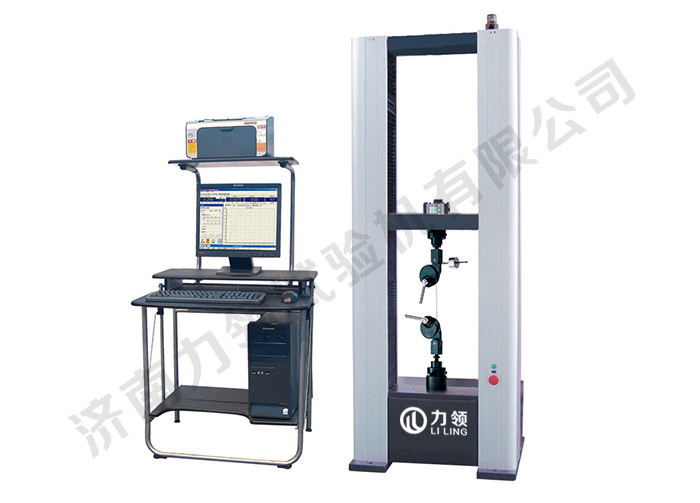
With the increasing popularity and market share of Jinan Leading Testing Machine Co., Ltd., there are also more and more end customers using Jinan Leading Testing Machine Co., Ltd.'s electronic universal testing machine. In response to the requirements of our customers, we will now provide a detailed explanation of the operating procedures for using the electronic universal testing machine, as follows:
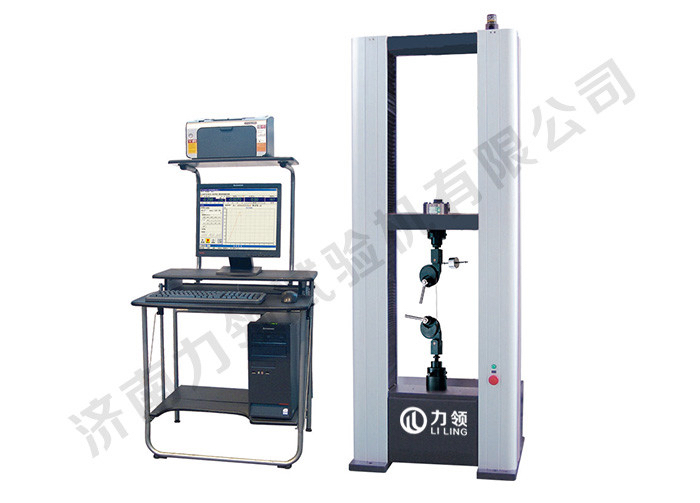
Operating procedures for electronic universal testing machine
1.1. Produce samples: Produce samples according to the requirements of the testing standards, measure their dimensions, and record the data.
2.2. First, connect the power supply. After turning on the power switch, the power indicator light will turn on. Need to standby for 5 minutes, wait for the universal testing machine to preheat and stabilize before connecting to the computer.
3. Power on: First, open the software measurement and control system on the computer desktop, and then turn on the power of the testing machine host.
4. Trial operation: Select an appropriate speed to lift and run the testing machine to ensure that all systems are operating normally.
5 options: Select the appropriate type of experiment based on the desired experiment - click.
6. Click: New Sample Record: Create the corresponding number of test records based on the number of tests to be conducted; And fill in the corresponding batch number, serial number, test environment, sample size and other relevant data, and click after completion.
7. Click to place the sample: Adjust the position of the testing machine for placing the sample by pressing the manual button box. First, clamp the sample on the upper attachment, and reset the test force, deformation, and displacement to zero. If clamped on the lower attachment, do not reset it to zero.
9. Test speed: Set an appropriate test speed according to the requirements of the standard test process; If there is no speed requirement in the standard, set a suitable speed, not too high, to avoid affecting the test results.
End condition: According to the requirements of the standard test process,
If you want to destroy the sample (such as tension, cement compression), choose "fracture type judgment";
If it ends by pulling (or pressing) to a certain test force, select "Target" or "Test Force";
If it ends by pulling (or pressing) to a certain deformation, select "Target" or "Deformation".
10. Click the button to start the experiment.
11. After the experiment is completed, the "Test End" button will be automatically pressed. If you need to end the experiment halfway, you can also manually end the experiment by pressing the "End of Experiment" button.
12. Test results: Click the button to view the corresponding test results.
To continue the experiment: click the "Experiment" button to return to the experiment operation interface, click the "Next" button to switch the experiment record to the next one,
Repeat steps 5-11 for the experiment. (Note: The batch new button must be clicked)
13. Save data: If the experimental data needs to be saved, press the "Save" button to save the experimental data to the database for future reference.
Print report: If the test results need to be printed, press the "Output Report" button to output the test results to a Word document and print it.
14. Shutdown: First turn off the power of the testing machine, then turn off the software measurement and control system and computer.
matters needing attention;
After the test is completed, clean the test samples used, remove the upper and lower fixtures, and perform daily maintenance.
Before testing, the spline needs to be adjusted for temperature and humidity status
About LiLing
Product range
News
Contact LiLing
Address:山东省济南市市中区魏华西路6号院内2号厂房


Business consultation (WeChat)